


2018年8月13日星期一
2018年6月20日星期三
請大家多多宣傳幫忙唷
https://www.yottau.com.tw/course/intro/607#introhttps://www.yottau.com.tw/course/intro/607#intro
2018年3月29日星期四
請大家幫忙唷
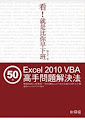
大家好。請大家幫忙宣傳。這是我準備線上教學的問卷。大家也可以直接報名看可否成行。謝謝大家。歡迎轉貼。課程是excel vba
問卷連結:https://goo.gl/ZDm94R
貼文連結:https://www.facebook.com/yottau/posts/1836723053293751
2017年10月20日星期五
 . />
. />2017年9月8日星期五

有趣的資訊
以下是我發現的
https://alexsir.blogspot.tw 數位學習網
https://healthseniorgroup.blogspot.tw healthsenior
https://oohking.blogspot.tw/ 天上飛
https://eatoutofhealth.blogspot.tw/ 保健鋪
https://home0216.blogspot.tw/ 鄭氏企業
https://daycleantw.blogspot.tw/ 窈窕管家
https://judyhandwork.blogspot.tw/ 茱蒂的手作小鋪
https://imarketime.blogspot.tw/ 自由之路數位教室
https://99lovelife99.blogspot.tw/ 久久愛生活久久
https://shieyayun26.blogspot.tw/ 遊山玩水
https://kikipasta.blogspot.tw/ 微笑pasta
http://www.quinli.com.tw 昆利
https://phoenix1022.blogspot.tw/ 艦隊COLLECTION皆可萌
http://changyihan.blogspot.tw 哩哩$$挖寶舖
2017年5月22日星期一
2017年5月21日星期日
2012年9月20日星期四
EXCEL VBA 去除"$"的方法 replace
Sub 快速走勢圖()
Dim Sht As Worksheet
Set Sht = Worksheets(1)
Set Rng1 = Sht.UsedRange
Set Rng2 = Rng1.SpecialCells(xlCellTypeLastCell)
x = Rng2.Address
Set Rng = Selection
mystart = Rng.Address
mystart = Replace(mystart, "$", "", 1) ' 去除此之外符號成為相對公式
Range("P2").Select
Range("$P$2").SparklineGroups.Add Type:=xlSparkLine, SourceData:=mystart
走勢圖參數
ActiveCell.FormulaR1C1 = "q"
Range("P2").Select
Selection.AutoFill Destination:=Range("P2:P109")
Range("P2:P109").Select
Selection.ClearContents
Range("P2").Select
Set Rng1 = Nothing
Set Rng2 = Nothing
Set Sht = Nothing
End Sub
Public Sub 走勢圖參數()
Selection.SparklineGroups.Item(1).SeriesColor.ThemeColor = 5
Selection.SparklineGroups.Item(1).SeriesColor.TintAndShade = -0.499984740745262
Selection.SparklineGroups.Item(1).Points.Negative.Color.ThemeColor = 6
Selection.SparklineGroups.Item(1).Points.Negative.Color.TintAndShade = 0
Selection.SparklineGroups.Item(1).Points.Markers.Color.ThemeColor = 5
Selection.SparklineGroups.Item(1).Points.Markers.Color.TintAndShade = - _
0.499984740745262
Selection.SparklineGroups.Item(1).Points.Highpoint.Color.ThemeColor = 5
Selection.SparklineGroups.Item(1).Points.Highpoint.Color.TintAndShade = 0
Selection.SparklineGroups.Item(1).Points.Lowpoint.Color.ThemeColor = 5
Selection.SparklineGroups.Item(1).Points.Lowpoint.Color.TintAndShade = 0
Selection.SparklineGroups.Item(1).Points.Firstpoint.Color.ThemeColor = 5
Selection.SparklineGroups.Item(1).Points.Firstpoint.Color.TintAndShade = _
0.399975585192419
Selection.SparklineGroups.Item(1).Points.Lastpoint.Color.ThemeColor = 5
Selection.SparklineGroups.Item(1).Points.Lastpoint.Color.TintAndShade = _
0.399975585192419
End Sub
订阅:
博文 (Atom)

 博文
博文







 13130
13130